You assign all your drivers their tasks for the day. Now it’s time to make sure their execution follows your plan. Are the vehicles following their assigned paths? Are your customers getting their goods and services on time as they expect?
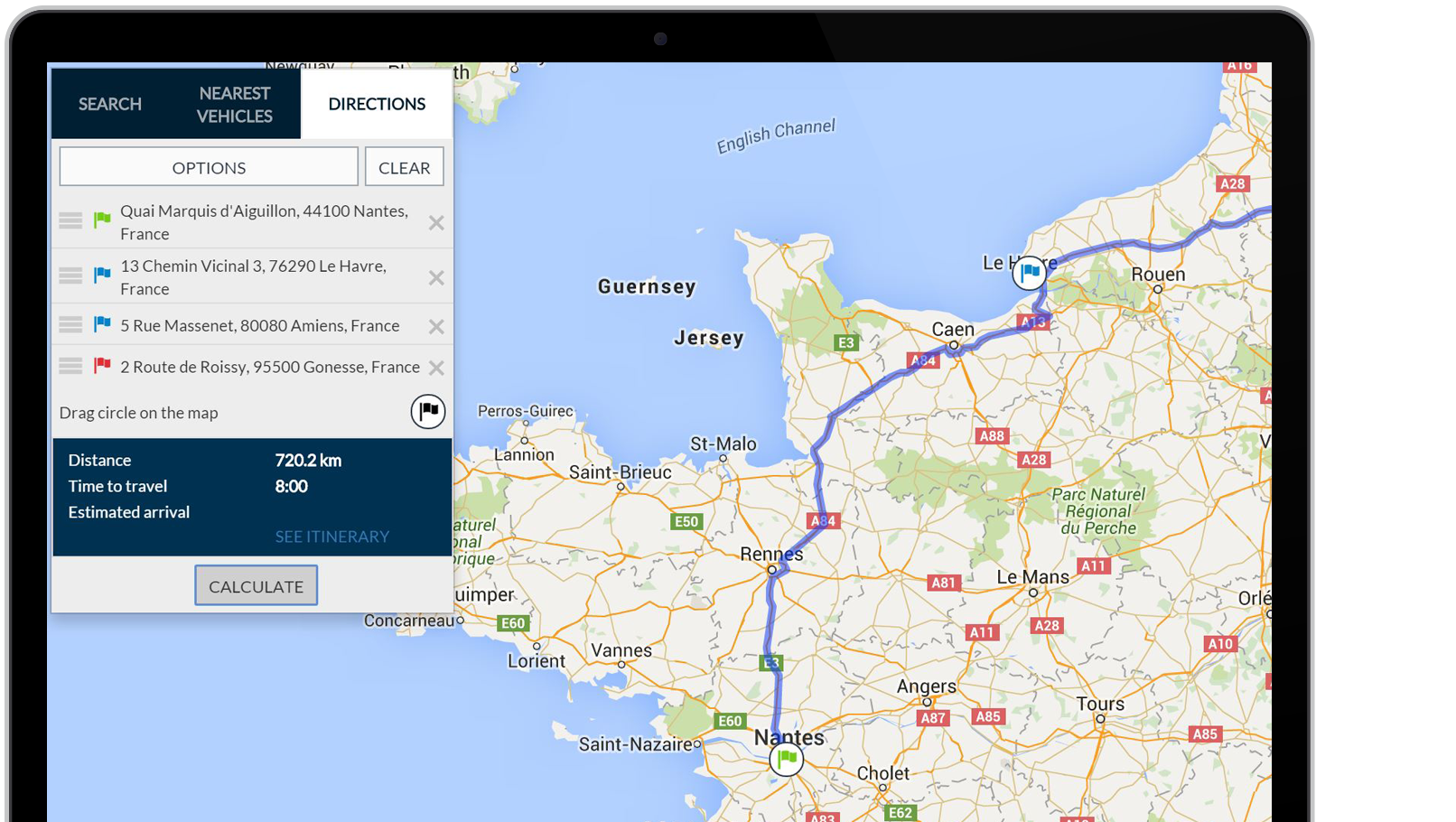
Frotcom’s Route planning and monitoring module provides key information for you to monitor the execution of routes and to anticipate future events, supporting your fleet management decisions.
This module was conceived as a very powerful tool to create and control routes. You will be able to spot right away any vehicle that is not following its predefined, approved route. You will also know how far a vehicle is from its destination and when its arrival is estimated.
With the Arrivals and Departures feature, you gain a detailed view of your routes, including Scheduled, Estimated, and Actual times for each stop, providing crucial insights into vehicle performance and helps ensure on-time deliveries.
You can even program Frotcom to alert your customers a few minutes – or a few kilometers – before the arrival of your vehicle.
In the Route Planning and Monitoring module, scheduled and actual times of departure and arrival are registered, so Frotcom can estimate, recalculate and notify you of arrival times, accounting for any deviation from planned routes.
You have several tools to work with:
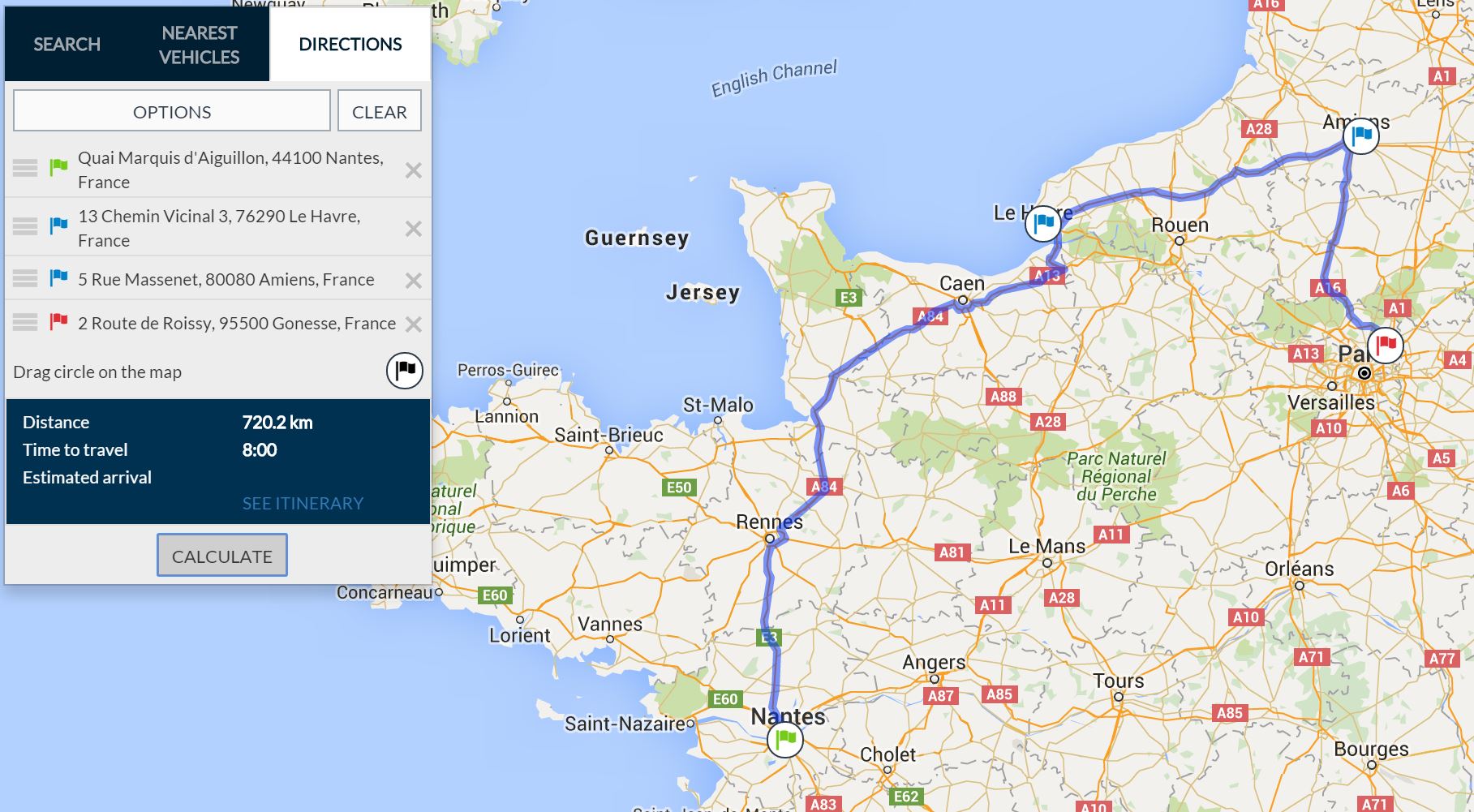
- Create preferred routes - These are typical routes that your fleet’s vehicles execute frequently; they can be composed of a single destination (routes with one leg) or several destinations (routes with several legs).
- Associate preferred routes with vehicles - When you associate a preferred route with a vehicle, Frotcom will be able to determine if the vehicle is complying with the plan, not only if the assigned destinations are being visited, but also if the vehicle is following the right path, if the scheduled times for departure and arrival are being met, and so on.
- Create ad hoc legs and associate them with vehicles – Ad hoc legs are different routes for one destination that you do not want to save in Frotcom as a preferred route. You simply create a route on the spot and associate it with a vehicle. Frotcom will monitor that vehicle’s compliance with the planned route.
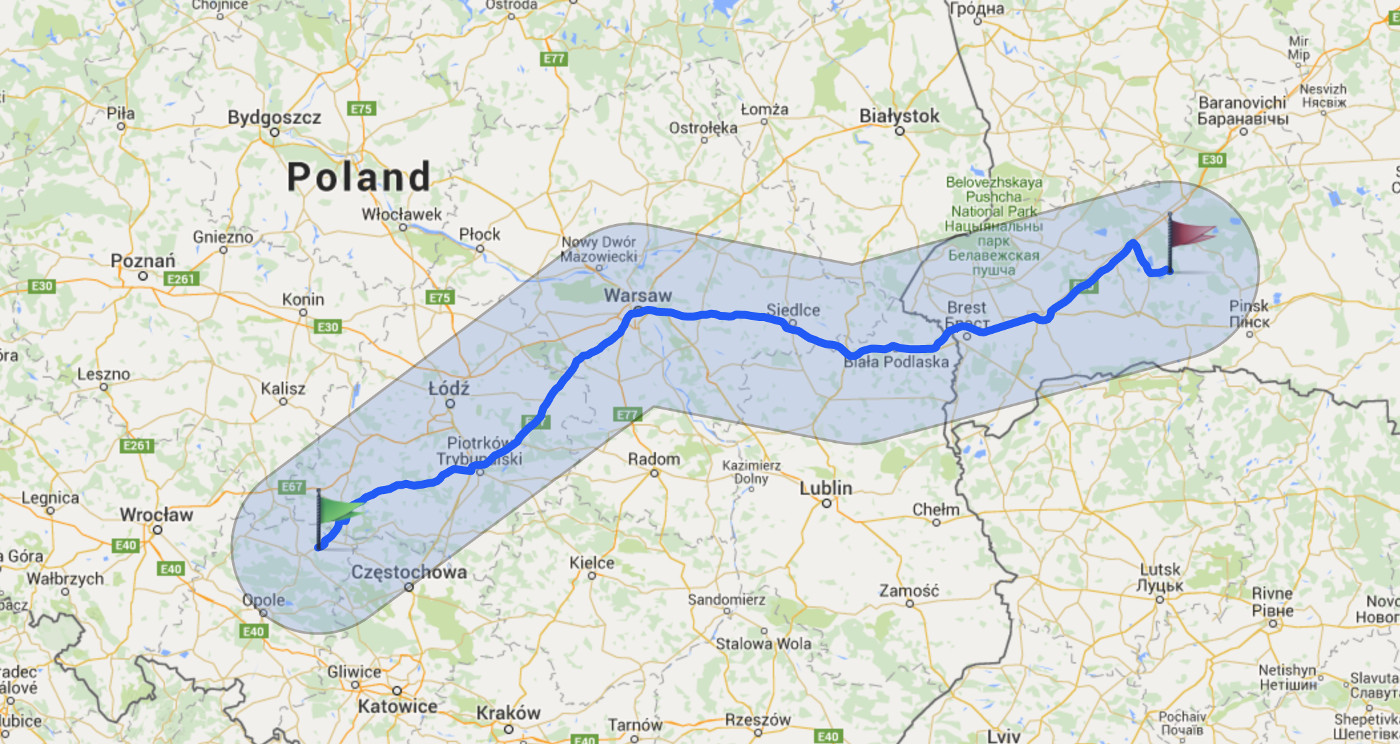
- Follow route execution on the map - You can see not only where vehicles have been, but also the route they are supposed to take to their destinations.
- Follow route execution on alternative views - You have three formats where you can follow the execution of routes: table view, linear view, Gantt view. Each one will give you a different perspective of your vehicles’ progress on their routes.
- Monitor Arrivals and Departures – A dedicated view of Routes provides detailed insights into Scheduled, Estimated, and Actual times of arrivals and departures at different Places within Frotcom. The displayed routes are scheduled to begin within the next 24 hours, and completed routes remain visible for an additional 6 hours.
- Generate notifications as route execution progresses - Inform your customers via email or SMS a few minutes or kilometers before your vehicle reaches them.
- Use alarms to react quickly – Alarms are generated when a vehicle deviates from planned route, either because it is following a different path or because it is taking too long to arrive.
- Generate reports – Route reports show you how each route was executed by each vehicle within a certain time period. You will be able to compare the planned routes with their actual execution, spotting any discrepancies between the two.
Main features
- Create preferred routes and store them for later use
- Associate preferred routes with vehicles
- Create ad hoc legs (single destinations) and associate them with vehicles
- Generate routes directly from navigation devices
- Estimate arrival times
- Follow route execution on the map or in three alternative views
- Monitor Arrivals and Departures with detailed times and location insights
- Generate alarms, notifications and reports according to route execution
Have a look
Benefits
Better business planning
Know exactly what you can demand of your fleet by finding the best possible match between plan and execution.
Better fleet control
Follow route execution and receive a notification if a vehicle deviates from its planned route. Act before it’s too late to correct the situation.
Enhanced customer service
Inform your customers, via email or SMS, a few minutes or kilometers before your vehicle reaches them. They will be prepared for the operation and/or paperwork.
Reduced fuel consumption
By planning routes properly, you can expect a reduction in the total mileage and the corresponding decrease in your fleet’s fuel costs.